
What is Asana?
With tasks, projects, conversations and dashboards, Asana enables teams to move work from start to finish.
Company Details
Need Assistance?
We're here to help you with understanding our reports and the data inside to help you make decisions.
Get AssistanceAsana Ratings
Real user data aggregated to summarize the product performance and customer experience.
Download the entire Product Scorecard
to access more information on Asana.
Product scores listed below represent current data. This may be different from data contained in reports and awards, which express data as of their publication date.
90 Likeliness to Recommend
96 Plan to Renew
85 Satisfaction of Cost Relative to Value
1
Since last award
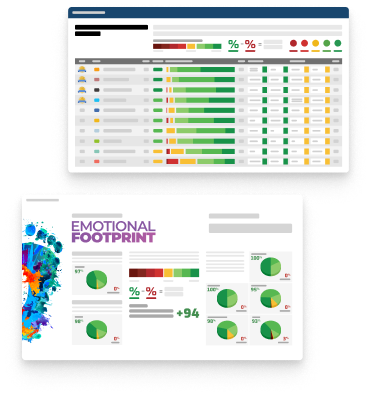
Emotional Footprint Overview
Product scores listed below represent current data. This may be different from data contained in reports and awards, which express data as of their publication date.
+94 Net Emotional Footprint
The emotional sentiment held by end users of the software based on their experience with the vendor. Responses are captured on an eight-point scale.
How much do users love Asana?
Pros
- Helps Innovate
- Reliable
- Enables Productivity
- Respectful
How to read the Emotional Footprint
The Net Emotional Footprint measures high-level user sentiment towards particular product offerings. It aggregates emotional response ratings for various dimensions of the vendor-client relationship and product effectiveness, creating a powerful indicator of overall user feeling toward the vendor and product.
While purchasing decisions shouldn't be based on emotion, it's valuable to know what kind of emotional response the vendor you're considering elicits from their users.
Footprint
Negative
Neutral
Positive
Feature Ratings
List Tasks
Task Assignment
Task Categorization
Task Status
Task Prioritization
Due Dates
Shared Task List
Calendar View
Add Notes
Drag and Drop Prioritization
Automated Workflow
Vendor Capability Ratings
Ease of Implementation
Business Value Created
Usability and Intuitiveness
Quality of Features
Breadth of Features
Ease of Customization
Ease of Data Integration
Ease of IT Administration
Product Strategy and Rate of Improvement
Availability and Quality of Training
Vendor Support
Also Featured in...
Asana Reviews
Seth B.
- Role: Operations
- Industry: Not for Profit
- Involvement: Business Leader or Manager
Submitted Nov 2026
Meeting grant deadlines without the scramble.
Likeliness to Recommend
What differentiates Asana from other similar products?
We moved off shared Excel trackers two years ago. Asana has just been reliable, whereas those sheets kept breaking constantly with version conflicts between offices. It doesn’t try to be everything at once, it handles program coordination pretty cleanly. Plus, every few months there’s some small update that actually fixes the exact thing that was annoying me before.
What is your favorite aspect of this product?
I really started trusting Asana once we rolled out our district-level literacy program across six field offices, not a single person missed a reporting date. Task dependencies keep everything on track, from our Monday field visits and volunteer trainings to the donor update cycles. Plus, the timeline view has actually cut down on all that WhatsApp chaos our coordinators used to drown in.
What do you dislike most about this product?
Our field staff in Bihar and Odisha lose their connection mid-update sometimes, and then the mobile app gets slow when it finally tries to sync those offline edits. Getting a clean status report ready for a donor review is still a pain, I have to do extra formatting in Excel before I feel okay sending it off.
What recommendations would you give to someone considering this product?
Please build a lighter data mode for teams working in low-bandwidth areas, our coordinators in rural blocks lose a lot of time waiting for boards to load. Also, a built-in simple expense field tied to tasks would mean a lot to small non-profits like ours running on tight program budgets and limited staff.
Pros
- Enables Productivity
- Trustworthy
- Saves Time
- Fair
Please tell us why you think this review should be flagged.
Sabina K.
- Role: Information Technology
- Industry: Not for Profit
- Involvement: IT Leader or Manager
Submitted Oct 2026
Robust Task Automation and Workspace Management
Likeliness to Recommend
What differentiates Asana from other similar products?
It is considerably more effective at onboarding volunteers than any typical relational database.
What is your favorite aspect of this product?
Status updates are performed automatically without any glitches via the rules engine. No need for our program leaders to manually track checklists anymore.
What do you dislike most about this product?
The administration dashboard is overwhelming. There are no efficient interfaces to manage user permission settings in different workspaces.
What recommendations would you give to someone considering this product?
Sketch out your key processes on paper first, prior to creating your boards.
Pros
- Helps Innovate
- Continually Improving Product
- Reliable
- Performance Enhancing
Please tell us why you think this review should be flagged.

Kishor W.
- Role: Information Technology
- Industry: Technology
- Involvement: End User of Application
Submitted Oct 2026
Great for team tasks, reporting needs work
Likeliness to Recommend
What differentiates Asana from other similar products?
Asana is easy for anyone on the team to pick up. You can see who's doing what and when it's due without digging around. It feels lighter than Jira and has more structure than Trello, so it works well for teams that aren't technical.
What is your favorite aspect of this product?
I like how easy it is to see everything in one place. You open a project and know right away what's due, who owns it, and what's falling behind. The timeline and board views also make it simple to switch how you look at the same work.
What do you dislike most about this product?
The notifications get overwhelming fast. On busy projects, the inbox fills up with updates that don't matter, and it's easy to miss the ones that do. Reporting also feels limited unless you're on a higher plan.
What recommendations would you give to someone considering this product?
Try the free plan first with a small project before committing. Asana works best when your team agrees on how to use it, so set up simple rules early for naming tasks and assigning owners. Also check which plan includes the reporting you need, since some features are locked behind higher tiers.
Pros
- Performance Enhancing
- Unique Features
- Acts with Integrity
- Enables Productivity
Cons
- Less Caring
- Vendor's Interest First
- Less Generous
Please tell us why you think this review should be flagged.



Get Instant Access<br>to this Report
Get Instant Access
to this Report
Unlock your first report with just a business email. Register to access our entire library.
© 2026 SoftwareReviews.com. All rights reserved.