Microsoft Exchange Online Protection
What is Microsoft Exchange Online Protection?
Guard against spam and malware, maintain email access during and after emergencies, and simplify administration of messaging environments with help from Exchange Online Protection deployed across a global network of data centers.
Company Details
Need Assistance?
We're here to help you with understanding our reports and the data inside to help you make decisions.
Get AssistanceMicrosoft Exchange Online Protection Ratings
Real user data aggregated to summarize the product performance and customer experience.
Download the entire Product Scorecard
to access more information on Microsoft Exchange Online Protection.
Product scores listed below represent current data. This may be different from data contained in reports and awards, which express data as of their publication date.
87 Likeliness to Recommend
96 Plan to Renew
79 Satisfaction of Cost Relative to Value
1
Since last award
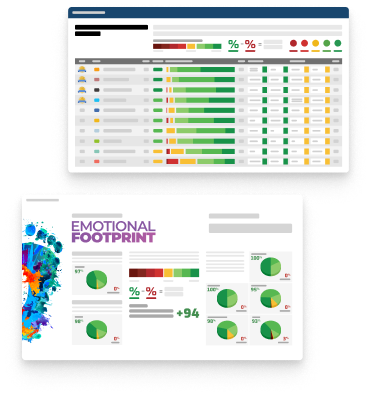
Emotional Footprint Overview
Product scores listed below represent current data. This may be different from data contained in reports and awards, which express data as of their publication date.
+89 Net Emotional Footprint
The emotional sentiment held by end users of the software based on their experience with the vendor. Responses are captured on an eight-point scale.
How much do users love Microsoft Exchange Online Protection?
Pros
- Includes Product Enhancements
- Performance Enhancing
- Effective Service
- Continually Improving Product
How to read the Emotional Footprint
The Net Emotional Footprint measures high-level user sentiment towards particular product offerings. It aggregates emotional response ratings for various dimensions of the vendor-client relationship and product effectiveness, creating a powerful indicator of overall user feeling toward the vendor and product.
While purchasing decisions shouldn't be based on emotion, it's valuable to know what kind of emotional response the vendor you're considering elicits from their users.
Footprint
Negative
Neutral
Positive
Feature Ratings
O365/ Google Integration
Anti-Spoofing Protection
Administrator Dashboard and Reporting
Email Account Protection
Tagging
Artificial Intelligence / Machine Learning
Phishing Protection
Managed Services Offering
Data Loss Prevention
Administrator Email Processing
User Flagging of Suspicious Emails
Vendor Capability Ratings
Ease of IT Administration
Business Value Created
Usability and Intuitiveness
Ease of Implementation
Ease of Customization
Breadth of Features
Availability and Quality of Training
Ease of Data Integration
Product Strategy and Rate of Improvement
Quality of Features
Vendor Support
Also Featured in...
Microsoft Exchange Online Protection Reviews

Nelson F.
- Role: Information Technology
- Industry: Technology
- Involvement: End User of Application
Submitted Mar 2025
A great Email Security tool
Likeliness to Recommend
What differentiates Microsoft Exchange Online Protection from other similar products?
Among the features that really set Microsoft EOP apart from other similar programs, I would say that it uses advanced artificial intelligence technology to identify and neutralize unwanted emails, which significantly reduces the volume of spam reaching our employees. This functionality evaluates links and attachments in real time, protecting users from emerging threats and targeted zero-day attacks that other filters may miss.
What is your favorite aspect of this product?
I like it because it is effective in environments where email is vital to day-to-day operations. For example, in financial services companies where the handling of sensitive data is paramount, EOP becomes an essential ally, protecting not only customer information, but also the company's reputation. We use Microsoft EOP (Exchange Online Protection) primarily to protect our email infrastructure against cyber threats.
What do you dislike most about this product?
There are scenarios where Microsoft EOP may not be the best choice. For example, in companies that use mostly non-Microsoft email solutions, such as G Suite, other services may offer better integration.
What recommendations would you give to someone considering this product?
Microsoft EOP, even with some considerations, has been an invaluable resource for security and efficiency in our internal and external communications. Its expertise and integration places it as a leader in email defense, helping to safeguard our organization's business interests.
Pros
- Helps Innovate
- Reliable
- Performance Enhancing
- Enables Productivity
Please tell us why you think this review should be flagged.
Sarah S.
- Role: Information Technology
- Industry: Finance
- Involvement: End User of Application
Submitted Jan 2025
Keeping Email Threats at Bay with EOP
Likeliness to Recommend
What differentiates Microsoft Exchange Online Protection from other similar products?
Microsoft Exchange Online Protection (EOP) has become the first line of defense for our organization’s email security. In the finance sector, where email is the gateway for everything from client communications to sensitive transaction approvals, ensuring that inboxes are secure is a high priority. EOP does an excellent job of filtering out the noise while ensuring critical emails always make it through.
What is your favorite aspect of this product?
What stands out most about EOP is its layered security. Beyond spam filtering, it offers malware scanning, phishing detection, and even URL filtering for malicious links in emails. The seamless integration with Microsoft 365 is another big plus—managing policies, quarantines, and reports from a single interface saves time and simplifies administration.
What do you dislike most about this product?
The occasional false positives
What recommendations would you give to someone considering this product?
The benefits of EOP are tangible. It has dramatically reduced the volume of spam and phishing emails reaching our employees, cutting down on IT support tickets related to suspicious activity. It also gives the team peace of mind, knowing that even if a threat slips through the initial filter, tools like Safe Links and Safe Attachments add an extra layer of protection.
Pros
- Helps Innovate
- Continually Improving Product
- Performance Enhancing
- Enables Productivity
Please tell us why you think this review should be flagged.
Tejas A.
- Role: Sales Marketing
- Industry: Engineering
- Involvement: End User of Application
Submitted Sep 2025
Good easy to use and simple
Likeliness to Recommend
What differentiates Microsoft Exchange Online Protection from other similar products?
Good integration with Microsoft 365 and defends against spams
What is your favorite aspect of this product?
It will automatically detect spams, malwares
What do you dislike most about this product?
outdated documentations and complex configuration
What recommendations would you give to someone considering this product?
If you need for daily use just go for it
Pros
- Security Protects
- Helps Innovate
- Continually Improving Product
- Performance Enhancing
Please tell us why you think this review should be flagged.





Get Instant Access<br>to this Report
Get Instant Access
to this Report
Unlock your first report with just a business email. Register to access our entire library.
© 2026 SoftwareReviews.com. All rights reserved.