

What is Microsoft Forms?
Easily create surveys to collect customer feedback, measure employee satisfaction, and organize team events. Microsoft Forms is simple to use, works on any web browser, and comes with themes and question branching so you won't have to do a lot of work to get to a great survey. Quickly create quizzes to measure student knowledge, evaluate class progress, and focus on topics that need improvement. Microsoft Forms lets you assign points for automatic grading and give explanations for further instruction, so quizzing students is easier than ever. Find out what the class thinks of your trip idea, where the team wants to meet, or how presentation attendees feel.
Company Details
Need Assistance?
We're here to help you with understanding our reports and the data inside to help you make decisions.
Get AssistanceMicrosoft Forms Ratings
Real user data aggregated to summarize the product performance and customer experience.
Download the entire Product Scorecard
to access more information on Microsoft Forms.
Product scores listed below represent current data. This may be different from data contained in reports and awards, which express data as of their publication date.
88 Likeliness to Recommend
97 Plan to Renew
88 Satisfaction of Cost Relative to Value
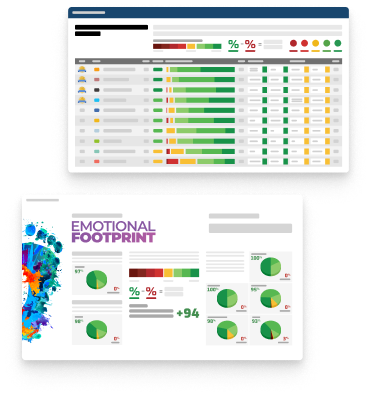
Emotional Footprint Overview
Product scores listed below represent current data. This may be different from data contained in reports and awards, which express data as of their publication date.
+94 Net Emotional Footprint
The emotional sentiment held by end users of the software based on their experience with the vendor. Responses are captured on an eight-point scale.
How much do users love Microsoft Forms?
Pros
- Trustworthy
- Saves Time
- Reliable
- Enables Productivity
How to read the Emotional Footprint
The Net Emotional Footprint measures high-level user sentiment towards particular product offerings. It aggregates emotional response ratings for various dimensions of the vendor-client relationship and product effectiveness, creating a powerful indicator of overall user feeling toward the vendor and product.
While purchasing decisions shouldn't be based on emotion, it's valuable to know what kind of emotional response the vendor you're considering elicits from their users.
Footprint
Negative
Neutral
Positive
Feature Ratings
Security
Mobility
Drag and Drop Design
State Transformation
Field Configuration and Customization
Electronic Signatures
Data Analysis and Survey Function
Version Management
Workflow Automation
APIs and Integration
Vendor Capability Ratings
Ease of Implementation
Usability and Intuitiveness
Business Value Created
Ease of Data Integration
Quality of Features
Ease of IT Administration
Availability and Quality of Training
Ease of Customization
Vendor Support
Product Strategy and Rate of Improvement
Breadth of Features
Also Featured in...
Microsoft Forms Reviews

Ranjeet K.
- Role: Human Resources
- Industry: Technology
- Involvement: End User of Application
Submitted Sep 2024
Tool which makes your life easy
Likeliness to Recommend
What differentiates Microsoft Forms from other similar products?
Microsoft forms has integration with microsoft ecosystem which makes it the best choice. Also, being able to integrate with other microsoft tools like excel makes easy to analyse the data which makes it stand out.
What is your favorite aspect of this product?
My favourite aspect of using microsoft forms is that it has capability to collaborate with others on forms in real time and ability to integrate with power automate for workflow automation.
What do you dislike most about this product?
Anonymous submission are not allowed in every survey or forms which I did not like.
What recommendations would you give to someone considering this product?
I highly recommend it.
Pros
- Continually Improving Product
- Performance Enhancing
- Enables Productivity
- Trustworthy
Please tell us why you think this review should be flagged.
- Role: C-Level
- Industry: Retail
- Involvement: IT Leader or Manager
Submitted Sep 2024
Fantastic product and can replace your survey need
Likeliness to Recommend
Pros
- Helps Innovate
- Reliable
- Performance Enhancing
- Enables Productivity
Please tell us why you think this review should be flagged.

Nutritionist Rangoli J.
- Role: Consultant
- Industry: Healthcare
- Involvement: End User of Application
Submitted Sep 2024
Nice way to get opinions for microsoft users
Likeliness to Recommend
What differentiates Microsoft Forms from other similar products?
Microsoft Forms stands out for its seamless integration with Microsoft 365 tools like Excel, SharePoint, and Teams, making data collection and collaboration efficient within the enterprise ecosystem. Its simple interface, real-time feedback, and secure data handling, especially for business users, differentiate it from other form-building platforms.
What is your favorite aspect of this product?
My favorite aspect of Microsoft Forms is its deep integration with Microsoft 365, especially how it syncs effortlessly with Excel for real-time data analysis. The simplicity of the interface, combined with the ability to securely gather and share data across teams via SharePoint and Teams, makes it incredibly efficient.
What do you dislike most about this product?
A drawback of Microsoft Forms is its limited customization options for form design and layouts. It also lacks more advanced conditional logic and branching compared to other form tools. Additionally, the absence of robust third-party integrations can be restrictive for those needing more complex workflows or external data handling.
What recommendations would you give to someone considering this product?
In microsoft forms, for more advanced customization, conditional logic, or external integrations, consider additional form-building tools.
Pros
- Helps Innovate
- Continually Improving Product
- Effective Service
- Respectful
Please tell us why you think this review should be flagged.




Get Instant Access<br>to this Report
Get Instant Access
to this Report
Unlock your first report with just a business email. Register to access our entire library.
© 2026 SoftwareReviews.com. All rights reserved.