
What is Microsoft Power Apps?
Use Power Automate, a powerful, built-in workflow engine. Quickly automate your workflows, enable business logic to simplify app building, and model your processes across connected data sources and services.
Company Details
Need Assistance?
We're here to help you with understanding our reports and the data inside to help you make decisions.
Get AssistanceMicrosoft Power Apps Ratings
Real user data aggregated to summarize the product performance and customer experience.
Download the entire Product Scorecard
to access more information on Microsoft Power Apps.
Product scores listed below represent current data. This may be different from data contained in reports and awards, which express data as of their publication date.
86 Likeliness to Recommend
97 Plan to Renew
77 Satisfaction of Cost Relative to Value
1
Since last award
Emotional Footprint Overview
Product scores listed below represent current data. This may be different from data contained in reports and awards, which express data as of their publication date.
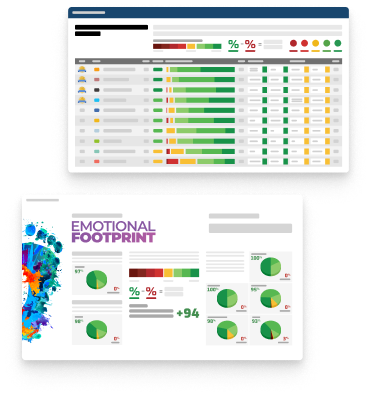
+90 Net Emotional Footprint
The emotional sentiment held by end users of the software based on their experience with the vendor. Responses are captured on an eight-point scale.
How much do users love Microsoft Power Apps?
Pros
- Helps Innovate
- Respectful
- Includes Product Enhancements
- Performance Enhancing
How to read the Emotional Footprint
The Net Emotional Footprint measures high-level user sentiment towards particular product offerings. It aggregates emotional response ratings for various dimensions of the vendor-client relationship and product effectiveness, creating a powerful indicator of overall user feeling toward the vendor and product.
While purchasing decisions shouldn't be based on emotion, it's valuable to know what kind of emotional response the vendor you're considering elicits from their users.
Footprint
Negative
Neutral
Positive
Feature Ratings
Permissions and Governance
Process Library
In-App Automated Workflows
External Application Data Connectors
Process Workflow Designer
Content Management
Real-time Process Analysis
Process Automation Templates
Low-Code Automation
Collaboration
Mobile Support
Vendor Capability Ratings
Ease of Data Integration
Ease of IT Administration
Business Value Created
Vendor Support
Product Strategy and Rate of Improvement
Quality of Features
Ease of Implementation
Availability and Quality of Training
Breadth of Features
Usability and Intuitiveness
Ease of Customization
Also Featured in...
Microsoft Power Apps Reviews

Greg G.
- Role: Information Technology
- Industry: Government
- Involvement: IT Leader or Manager
Submitted Oct 2024
Easy to use for existing Microsoft shops
Likeliness to Recommend
What differentiates Microsoft Power Apps from other similar products?
PowerApps is quick and easy to pick up for companies already familiar with Microsoft products. You must use Power Automate with PowerApps for the workflow parts. It is not all integrated in as some competitor products offer. Microsoft tools all work flawlessly together creating a compelling solution as Power Apps and Power Automate can all integrate with Teams and Power BI can also work together to create solutions. Now Power Pages has been added with AI features to offer external facing solutions that can talk to your customers such as through bots.
What is your favorite aspect of this product?
Initially it is easy to learn, and a lot can be built quickly just using the UI and low code aspect of the product. It starts getting a bit more challenging when Power Automate is combined with Power Apps. This creates a very compelling solution for other departments to use it in their areas to automate their repetitive tasks.
What do you dislike most about this product?
PowerApps can seem easy to use when you follow the online demos. What they seldom show you is if you try to connect to data without using their card system. This means you will need to write custom queries or as they call them "Patch" statements. These are not something a person on a Finance team can master. They need to create a visual tool like what Access offered in the day to create these statements. Also, PowerApps really only works well with one developer in the application at a time. This makes creating large applications as a team difficult. Keep this in mind when considering going this route.
What recommendations would you give to someone considering this product?
Watch out for licensing. PowerApps is best when used by small teams for quick hit applications to speed up repetitive tasks. If you create an app with PowerApps, consider every person who uses the application must be licensed and this is charged every month and can add up quickly. I have literally seen companies throw away applications where they intended on the entire organization using them as it was cost prohibitive. Microsoft does not have a cost-effective licensing for such use cases. PowerApps is best when the end user base is just a small team or couple of individuals.
Pros
- Continually Improving Product
- Caring
- Respectful
- Helps Innovate
Cons
- Vendor Friendly Policies
Please tell us why you think this review should be flagged.
Akshay b.
- Role: Information Technology
- Industry: Technology
- Involvement: IT Development, Integration, and Administration
Submitted Oct 2024
Fantastic product
Likeliness to Recommend
What differentiates Microsoft Power Apps from other similar products?
1. Integration with Microsoft Ecosystem 2. Common Data Service 3. User-Friendly Interface 4. Robust AI Features 5. Extensive Customization Options 6.Enterprise-Grade Security and Compliance
What is your favorite aspect of this product?
One of my favorite aspects of Microsoft Power Apps is its seamless integration with the broader Microsoft ecosystem. This allows users to leverage existing data and services from tools like SharePoint, Dynamics 365, and Teams, making it easier to build powerful applications without starting from scratch.
What do you dislike most about this product?
Nothing as of now.
What recommendations would you give to someone considering this product?
1.Start with a Clear Goal 2.Leverage Existing Templates 3.Invest in Training 4.Utilize Dataverse 5.Explore Integrations 6.Test Early and Often
Pros
- Helps Innovate
- Continually Improving Product
- Reliable
- Performance Enhancing
Please tell us why you think this review should be flagged.

Jitendra S.
- Role: Consultant
- Industry: Consulting
- Involvement: IT Development, Integration, and Administration
Submitted Oct 2024
Fantastic product!
Likeliness to Recommend
What differentiates Microsoft Power Apps from other similar products?
Microsoft Power Apps differentiates itself through deep integration with the Microsoft ecosystem, including Office 365, Dynamics 365, Azure, and SharePoint. It's part of the broader Microsoft Power Platform, enabling users to build apps, automate workflows (via Power Automate), and gain insights (via Power BI). Power Apps excels at allowing non-developers to create apps quickly while offering advanced features for developers, making it versatile compared to other low-code platforms like Salesforce Lightning or Mendix.
What is your favorite aspect of this product?
My favorite aspect of Power Apps is its seamless integration with Microsoft tools, enabling quick app creation with minimal coding.
What do you dislike most about this product?
What I dislike most about Power Apps is its complex licensing structure, which can be confusing and costly for users.
What recommendations would you give to someone considering this product?
Ensure integration with your Microsoft tools, understand licensing, start with simple projects, and leverage learning resources for smooth adoption.
Pros
- Helps Innovate
- Continually Improving Product
- Reliable
- Performance Enhancing
Please tell us why you think this review should be flagged.





Get Instant Access<br>to this Report
Get Instant Access
to this Report
Unlock your first report with just a business email. Register to access our entire library.
© 2026 SoftwareReviews.com. All rights reserved.