

What is Microsoft Teams?
Work together how you want, when you want. Create and collaborate on documents with others and keep everyone organized and up-to-date with shared notebooks.
Company Details
Need Assistance?
We're here to help you with understanding our reports and the data inside to help you make decisions.
Get AssistanceMicrosoft Teams Ratings
Real user data aggregated to summarize the product performance and customer experience.
Download the entire Product Scorecard
to access more information on Microsoft Teams.
Product scores listed below represent current data. This may be different from data contained in reports and awards, which express data as of their publication date.
91 Likeliness to Recommend
99 Plan to Renew
1
Since last award
85 Satisfaction of Cost Relative to Value
Emotional Footprint Overview
Product scores listed below represent current data. This may be different from data contained in reports and awards, which express data as of their publication date.
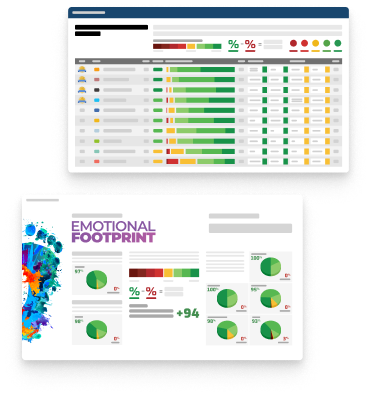
+91 Net Emotional Footprint
The emotional sentiment held by end users of the software based on their experience with the vendor. Responses are captured on an eight-point scale.
How much do users love Microsoft Teams?
Pros
- Reliable
- Enables Productivity
- Trustworthy
- Respectful
How to read the Emotional Footprint
The Net Emotional Footprint measures high-level user sentiment towards particular product offerings. It aggregates emotional response ratings for various dimensions of the vendor-client relationship and product effectiveness, creating a powerful indicator of overall user feeling toward the vendor and product.
While purchasing decisions shouldn't be based on emotion, it's valuable to know what kind of emotional response the vendor you're considering elicits from their users.
Footprint
Negative
Neutral
Positive
Feature Ratings
Communications
Web & Desktop Conferencing
Mobility
Presence IM
Centralized Management Portal
Continuous UCC
Analytics Reporting
Third-Party Integration
Vendor Capability Ratings
Business Value Created
Breadth of Features
Ease of Implementation
Quality of Features
Ease of IT Administration
Usability and Intuitiveness
Ease of Data Integration
Product Strategy and Rate of Improvement
Availability and Quality of Training
Ease of Customization
Vendor Support
Also Featured in...
Web and Video Conferencing - Enterprise
Score 8.8
View Microsoft Teams in this category (opens in a new tab)
Business Instant Messaging - Enterprise
Score 8.8
View Microsoft Teams in this category (opens in a new tab)
Digital Workplace
Score 8.8
View Microsoft Teams in this category (opens in a new tab)
Microsoft Teams Reviews

Maxwell M.
- Role: Sales Marketing
- Industry: Manufacturing
- Involvement: End User of Application
Submitted Oct 2024
Cornerstone of Workplace Collaboration.
Likeliness to Recommend
What differentiates Microsoft Teams from other similar products?
Microsoft Teams has become a cornerstone of workplace collaboration, particularly as remote work has surged in popularity. One of its. Versatile standout feature is is rubus communication that enables teams to combine chat, video conferencing, and file sharing into a single platform. The ability to switch between these modes effortlessly makes communication fluid and efficient. Overall, this features makes Teams a powerful tool ally in fostering teamwork.
What is your favorite aspect of this product?
One of Team's standout features is it's deep integration with Microsoft 355 applications. This enables users to easily collaborate on documents in real-time using Word, Excel, and SharePoint, enhancing productivity and streamlining workflows. Robust collaboration tools, like thread conversations, mentions, and file versioning which boost organized discussion and easy access to shared documents.
What do you dislike most about this product?
Limited third-party integrations compared to other tools that has wider and broader range of third-party apps integrations.
What recommendations would you give to someone considering this product?
Microsoft Teams is an excellent choice for organizations seeking a comprehensive collaboration tool.
Pros
- Helps Innovate
- Continually Improving Product
- Reliable
- Performance Enhancing
Please tell us why you think this review should be flagged.

Satyanshu S.
- Role: Information Technology
- Industry: Technology
- Involvement: IT Leader or Manager
Submitted Oct 2024
Fantastic product!
Likeliness to Recommend
What differentiates Microsoft Teams from other similar products?
Cross-Platform Compatibility, Linked In-Meeting Collaboration Tools, Scale and Flexibility, Threaded Conversations and Channels, Third-Party App Integrations, Customizable with Power Platform, Security and Compliance, Video Conferencing and Meetings, All-in-One Platform, Collaboration in Real-Time, Deep Integration with Microsoft 365. Overall, Teams’ close integration with Microsoft 365, along with its robust feature set that spans messaging, video calls, and file collaboration, makes it a leading choice for businesses looking for an all-in-one communication and collaboration tool.
What is your favorite aspect of this product?
My favorite aspect of Microsoft Teams is its deep integration with Microsoft 365. This integration allows for seamless collaboration on documents, scheduling meetings, and managing tasks without switching between different apps. Being able to co-edit Word documents, analyze Excel sheets, or present PowerPoint slides directly within Teams meetings or channels is incredibly efficient. This unified ecosystem streamlines workflows and boosts productivity, making it easy for teams to collaborate in real time while leveraging the full power of Microsoft’s suite of tools.
What do you dislike most about this product?
I dislike most about Microsoft Teams is its overwhelming notification system. Notifications can quickly pile up, especially in larger teams or organizations where multiple channels, chats, and tasks are active. This makes it difficult to prioritize what's important without feeling distracted. Additionally, managing and filtering notifications within the app could be more intuitive. A more advanced, customizable notification system that allows users to better organize and mute irrelevant alerts would greatly improve the overall user experience.
What recommendations would you give to someone considering this product?
Leverage Microsoft 365 Integration, Organize Channels Effectively, Manage Notifications
Pros
- Helps Innovate
- Continually Improving Product
- Reliable
- Performance Enhancing
Please tell us why you think this review should be flagged.
Bhevin G.
- Role: Sales Marketing
- Industry: Other
- Involvement: End User of Application
Submitted Oct 2024
Enriched communication application.
Likeliness to Recommend
What differentiates Microsoft Teams from other similar products?
It has multiple uses in communication like instant messaging and video conferencing.
What is your favorite aspect of this product?
It's integration with other digital application. It is pocket friendly and easy to use.
What do you dislike most about this product?
Nothing in particular.
What recommendations would you give to someone considering this product?
This is the best and reliable communication tool that is flexible use on Android and desktop access.
Pros
- Helps Innovate
- Continually Improving Product
- Reliable
- Performance Enhancing
Please tell us why you think this review should be flagged.






Get Instant Access<br>to this Report
Get Instant Access
to this Report
Unlock your first report with just a business email. Register to access our entire library.
© 2026 SoftwareReviews.com. All rights reserved.