

What is Microsoft Teams?
Work together how you want, when you want. Create and collaborate on documents with others and keep everyone organized and up-to-date with shared notebooks.
Company Details
Need Assistance?
We're here to help you with understanding our reports and the data inside to help you make decisions.
Get AssistanceMicrosoft Teams Ratings
Real user data aggregated to summarize the product performance and customer experience.
Download the entire Product Scorecard
to access more information on Microsoft Teams.
Product scores listed below represent current data. This may be different from data contained in reports and awards, which express data as of their publication date.
90 Likeliness to Recommend
97 Plan to Renew
84 Satisfaction of Cost Relative to Value
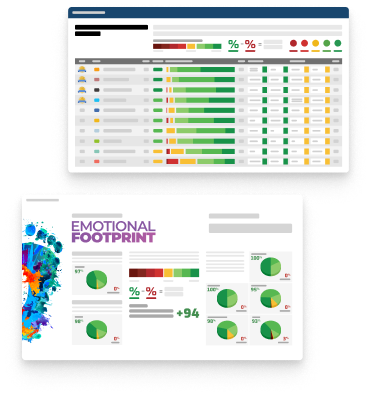
Emotional Footprint Overview
Product scores listed below represent current data. This may be different from data contained in reports and awards, which express data as of their publication date.
+90 Net Emotional Footprint
The emotional sentiment held by end users of the software based on their experience with the vendor. Responses are captured on an eight-point scale.
How much do users love Microsoft Teams?
Pros
- Reliable
- Enables Productivity
- Respectful
- Fair
How to read the Emotional Footprint
The Net Emotional Footprint measures high-level user sentiment towards particular product offerings. It aggregates emotional response ratings for various dimensions of the vendor-client relationship and product effectiveness, creating a powerful indicator of overall user feeling toward the vendor and product.
While purchasing decisions shouldn't be based on emotion, it's valuable to know what kind of emotional response the vendor you're considering elicits from their users.
Footprint
Negative
Neutral
Positive
Feature Ratings
Collaboration
Calendars
File Sharing Collaboration
Mobile App
Employee Engagement
Task Management
Employee Directory
Content Management
Workflow & Approvals
Networked Enterprise
Virtual Offices
Vendor Capability Ratings
Business Value Created
Ease of Implementation
Breadth of Features
Quality of Features
Usability and Intuitiveness
Ease of IT Administration
Ease of Data Integration
Product Strategy and Rate of Improvement
Availability and Quality of Training
Ease of Customization
Vendor Support
Also Featured in...
Unified Communications as a Service
Score 8.9
View Microsoft Teams in this category (opens in a new tab)
Web and Video Conferencing - Enterprise
Score 8.8
View Microsoft Teams in this category (opens in a new tab)
Business Instant Messaging - Enterprise
Score 8.8
View Microsoft Teams in this category (opens in a new tab)
Microsoft Teams Reviews

Anmol Kaur D.
- Role: Operations
- Industry: Banking
- Involvement: End User of Application
Submitted Sep 2026
Convenient and accessible!
Likeliness to Recommend
What differentiates Microsoft Teams from other similar products?
Better collaboration with systems, AI integration and better file sharing experience
What is your favorite aspect of this product?
Accessibility is the best, Easy file sharing Calendar features Sharepoint for easy access to files
What do you dislike most about this product?
Technical difficulties sometimes Calls would drop off
What recommendations would you give to someone considering this product?
Great software to use for businesss Makes it convenient with new AI integration and facilitators
Pros
- Helps Innovate
- Continually Improving Product
- Reliable
- Performance Enhancing
Please tell us why you think this review should be flagged.

Rafiq K.
- Role: Information Technology
- Industry: Technology
- Involvement: End User of Application
Submitted Sep 2026
Collaboration, Communication, and Productivity
Likeliness to Recommend
What differentiates Microsoft Teams from other similar products?
My team and I lean on Microsoft Teams for our remote brainstorming sessions, and being able to record meetings for later reference has been a real helpful. Call quality stays crisp and reliable, which matters a lot when we're handling official communications.
What is your favorite aspect of this product?
We get a lot of mileage out of the whiteboard feature sketching out diagrams and working through calculations together feels almost like being back in a classroom. On top of that, the chat and mood indicators during meetings and training sessions keep everyone engaged and add a welcome personal touch.
What do you dislike most about this product?
I've spent a fair amount of time with this platform by now, and my overall impression is a positive one it doesn't take long to find your footing, even if you're coming in cold. That said, the interface has a way of piling things on. Once you've got several teams running alongside channels, chats, and a handful of connected apps, the screen starts to feel crowded, and the sheer amount of stuff competing for your attention can make it genuinely difficult to zero in on what actually needs your focus.
What recommendations would you give to someone considering this product?
Microsoft Teams has been helpful for the way our team works together. Instead of juggling multiple apps to get things done, we now have everything we need in one place. That shift alone has cut down on wasted time, kept conversations flowing without unnecessary lag, and made sure everyone stays on the same page when it comes to project details.
Pros
- Helps Innovate
- Continually Improving Product
- Reliable
- Performance Enhancing
Please tell us why you think this review should be flagged.

Rishabh K.
- Role: Operations
- Industry: Healthcare
- Involvement: Business Leader or Manager
Submitted Aug 2026
The Best for the Best
Likeliness to Recommend
What differentiates Microsoft Teams from other similar products?
Microsoft Teams stands out for its seamless integration with Microsoft 365 , combining chat, video meetings, file sharing , and collaboration in one platform. it works especially well for organizations already using Outlook, Sharepoint, and other Microsoft tools.
What is your favorite aspect of this product?
, My favorite aspect of Microsoft Team is how easily it brings messaging, meetings, file sharing, and collaboration together in one place, especially with its seamless microsoft 365 integration.
What do you dislike most about this product?
The interface can feel cluttered at times, and managing multiple chats, channels, and notifications can become overwhelming , especially in larger organization.
What recommendations would you give to someone considering this product?
i'd recommend microsoft team to organizations already using microsoft 365, take time to organize channels, permissions, and notification properly from the start to keep the platform simple and manageable.
Pros
- Helps Innovate
- Continually Improving Product
- Reliable
- Inspires Innovation
Please tell us why you think this review should be flagged.





Get Instant Access<br>to this Report
Get Instant Access
to this Report
Unlock your first report with just a business email. Register to access our entire library.
© 2026 SoftwareReviews.com. All rights reserved.