
What is ClickUp?
Build ClickUp into your own mission control center - small team or large team, simple workflows or complex workflows. One platform for everything. Bring everything together in one centralized place to manage all your productivity needs and track progress with custom Dashboards.
Company Details
Need Assistance?
We're here to help you with understanding our reports and the data inside to help you make decisions.
Get AssistanceClickUp Ratings
Real user data aggregated to summarize the product performance and customer experience.
Download the entire Product Scorecard
to access more information on ClickUp.
Product scores listed below represent current data. This may be different from data contained in reports and awards, which express data as of their publication date.
90 Likeliness to Recommend
98 Plan to Renew
89 Satisfaction of Cost Relative to Value
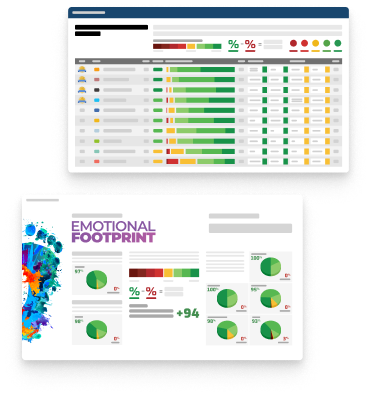
Emotional Footprint Overview
Product scores listed below represent current data. This may be different from data contained in reports and awards, which express data as of their publication date.
+95 Net Emotional Footprint
The emotional sentiment held by end users of the software based on their experience with the vendor. Responses are captured on an eight-point scale.
How much do users love ClickUp?
Pros
- Fair
- Helps Innovate
- Client Friendly Policies
- Performance Enhancing
How to read the Emotional Footprint
The Net Emotional Footprint measures high-level user sentiment towards particular product offerings. It aggregates emotional response ratings for various dimensions of the vendor-client relationship and product effectiveness, creating a powerful indicator of overall user feeling toward the vendor and product.
While purchasing decisions shouldn't be based on emotion, it's valuable to know what kind of emotional response the vendor you're considering elicits from their users.
Footprint
Negative
Neutral
Positive
Feature Ratings
Workflow Management
Feature Management
Product Management
Social Collaboration
Release Planning
Idea Management
Backlog Management
User Needs Management
Visual Roadmap
Strategic Vision
ALM Integration
Vendor Capability Ratings
Ease of Implementation
Quality of Features
Business Value Created
Ease of Data Integration
Breadth of Features
Ease of Customization
Usability and Intuitiveness
Product Strategy and Rate of Improvement
Ease of IT Administration
Vendor Support
Availability and Quality of Training
Also Featured in...
Task Management
Score 9.0
View ClickUp in this category (opens in a new tab)
Project Management - Enterprise
Score 9.0
View ClickUp in this category (opens in a new tab)
Objectives and Key Results
Score 8.3
View ClickUp in this category (opens in a new tab)
AI Content Creation and Optimization
Score 8.2
View ClickUp in this category (opens in a new tab)
ClickUp Reviews

Robin W.
- Role: Consultant
- Industry: Technology
- Involvement: End User of Application
Submitted Jun 2025
Absolutely love it. The best out there
Likeliness to Recommend
What differentiates ClickUp from other similar products?
The wide variety of features available
What is your favorite aspect of this product?
The management tools
What do you dislike most about this product?
Not easy to upload images to docs or atleast not very user friendly to do so
What recommendations would you give to someone considering this product?
100% worth it
Pros
- Helps Innovate
- Continually Improving Product
- Reliable
- Performance Enhancing
Please tell us why you think this review should be flagged.

Muhammad L.
- Role: Student Academic
- Industry: Engineering
- Involvement: IT Development, Integration, and Administration
Submitted Nov 2024
Features are Disappointing!
Likeliness to Recommend
What differentiates ClickUp from other similar products?
I did not find any practical difference or set of unique features that only clickup provides. Its like any other project management tool and may even lack in some functionalities like it does not provide PLM support.
What is your favorite aspect of this product?
Its mostly free for a small team, with some locked features in the free version but nothing that is super important.
What do you dislike most about this product?
Lack of features and usability. It isn't the most intuitive to use software.
What recommendations would you give to someone considering this product?
I would reccomend to try the free version and do try other products as well before finalizing on it,
Pros
- Continually Improving Product
- Inspires Innovation
- Includes Product Enhancements
- Security Protects
Please tell us why you think this review should be flagged.

Manokh H.
- Role: Information Technology
- Industry: Engineering
- Involvement: Business Leader or Manager
Submitted Nov 2024
It is a very good product.
Likeliness to Recommend
What differentiates ClickUp from other similar products?
ClickUp is unique because it brings everything—task management, time tracking, goal setting, and team communication—together in one place, so you don’t need to juggle multiple tools. It’s also incredibly flexible, allowing you to set up workflows and views like lists, boards, Gantt charts, or calendars to match your style of working. With affordable pricing and a solid free plan, it’s a practical choice for teams big and small looking to streamline their work.
What is your favorite aspect of this product?
What I really love about ClickUp is its fantastic flexibility. It allows you to customise workflows, views, and dashboards to match your team’s needs, making project management a breeze. Whether you prefer working with lists, boards, or Gantt charts, ClickUp lets you set things up in a way that feels right for you. Plus, having everything in one place—from task assignments to team communication—means you don’t have to juggle multiple tools, which really helps with productivity. This adaptability truly makes it easier for teams to collaborate effectively and stay organised.
What do you dislike most about this product?
I like this product. No dislike for this product from my side.
What recommendations would you give to someone considering this product?
1. Explore the Features 2. Start with Templates 3. Customize Your Workspace 4. Utilise Integrations 5. Invest Time in Training 6. Stay Organised 7. Engage with the Community
Pros
- Helps Innovate
- Continually Improving Product
- Reliable
- Performance Enhancing
Please tell us why you think this review should be flagged.



Get Instant Access<br>to this Report
Get Instant Access
to this Report
Unlock your first report with just a business email. Register to access our entire library.
© 2026 SoftwareReviews.com. All rights reserved.